cse15l-lab-reports
Lab Report 2: Making a Search Engine and Catching Bugs Using JUnit (Console)
On this page, I will present my code for the search engine and explain how the website works. Then, I will explain two bugs I found in implementations of code as well as showcase how I fixed them.
Part 1: The Search Engine
The following is the code for SearchEngine.java. This file, combined with Server.java (the same one that runs other websites), will create and run a website on a host/server.
import java.io.IOException;
import java.net.URI;
import java.util.ArrayList;

class Handler implements URLHandler {
    ArrayList<String> list = new ArrayList<>();

    public String handleRequest(URI url) {
        if(url.getPath().equals("/")) {
            return "New Empty List Created!";
        }
        else if(url.getPath().contains("/add")) {
            if(url.getQuery().contains("s=")) {
                String[] parameters = url.getQuery().split("=");
                this.list.add(parameters[1]);
                return "String \"" + parameters[1] + "\" Added!";
            }
            else {
                return "Missing Query!";
            }
        }
        else if(url.getPath().contains("/search")) {
            if(url.getQuery().contains("s=")) {
                String[] parameters = url.getQuery().split("=");
                ArrayList<String> searched = new ArrayList<>();
                for(int i = 0; i < this.list.size(); i++) {
                    if(this.list.get(i).contains(parameters[1])) {
                        searched.add(this.list.get(i));
                    }
                }
                if(searched.size() == 0) {
                    return "No Matching Strings Found!";
                }
                else {
                    String returned = searched.get(0);
                    for(int i = 1; i < searched.size(); i++) {
                        returned = returned + ", " + searched.get(i);
                    }
                    return returned;
                }
            }
            else {
                return "Missing Query!";
            }
        }
        return "404 not found!";
    }
}

class SearchEngine {
    public static void main(String[] args) throws IOException {
        if(args.length == 0){
            System.out.println("Missing port number! Try any number between 1024 to 49151");
            return;
        }

        int port = Integer.parseInt(args[0]);

        Server.start(port, new Handler());
    }
}
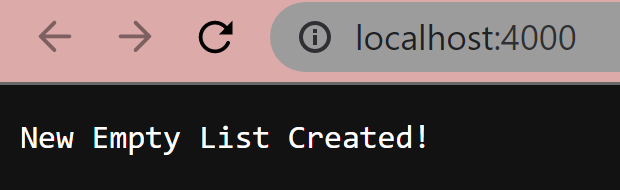
When the server is created, the first part (the if statement) of the handleRequest() method is called. A new empty ArrayList called “list” is formed. There is no path listed in the URL, fulfilling the first if statement and returning the following message:
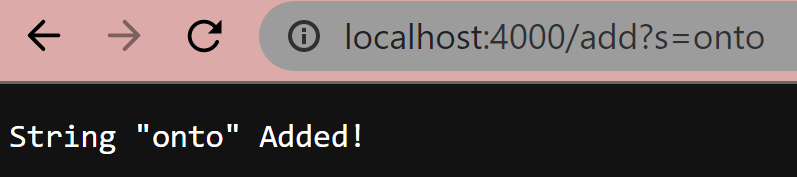
Let’s add a string into the query. We now will add a path called “/add,” which will direct us to the first else if statement, as it will recognize that path. Our query is called through use of the “?,” and writing “s=onto” allows the program to recognize a String query being passed. Our program will then obtain the string following the equal sign, “onto,” add the string to the list, and spit out the following message.
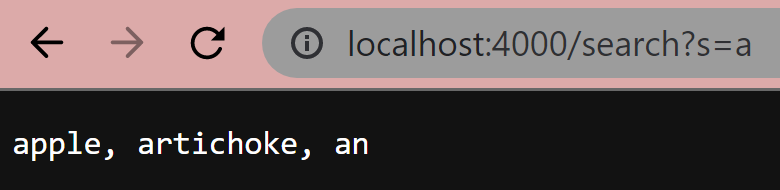
In the following screenshot, we have added the strings “apple”, “artichoke”, and “an” to the list that also contains “onto”. If we want to search for all the strings in the list that have an “a”, we can call “/search”, which will recognize the search path and fulfill the second else if statement. Our recognized string/query is now “a”, and since the search path was called, the program will iterate through the list and generate a new list (“searched”) containing all the strings with “a”. This list will then be printed out separated by commas as follows:
It is worth noting that if either of these paths do not contain a query, the website will spit out “Missing Query!”.
Part 2: Finding Bugs
1) ArrayExamples.java
In ArrayExamples.java, there is a method that returns the average of the list with the lowest number omitted. However, it fails when there are multiple instances of the lowest number, like in the following test:
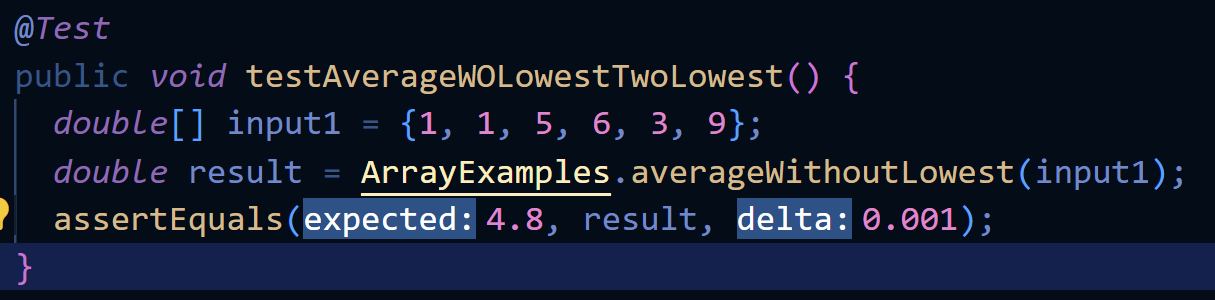 While we expect the value to be the average of 1, 5, 6, 3, and 9, which is 4.8, we get the following output:
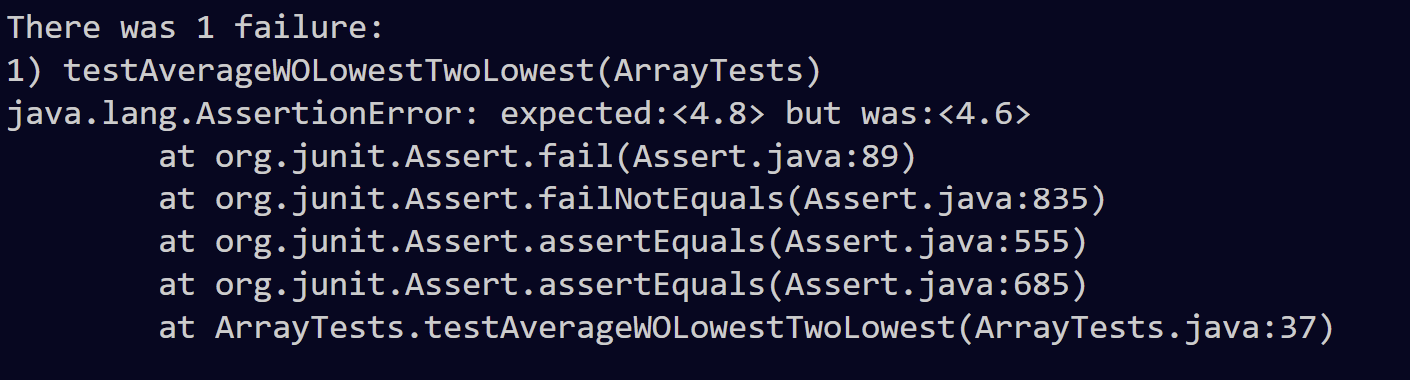 The reason can be seen in the method (see the comment):
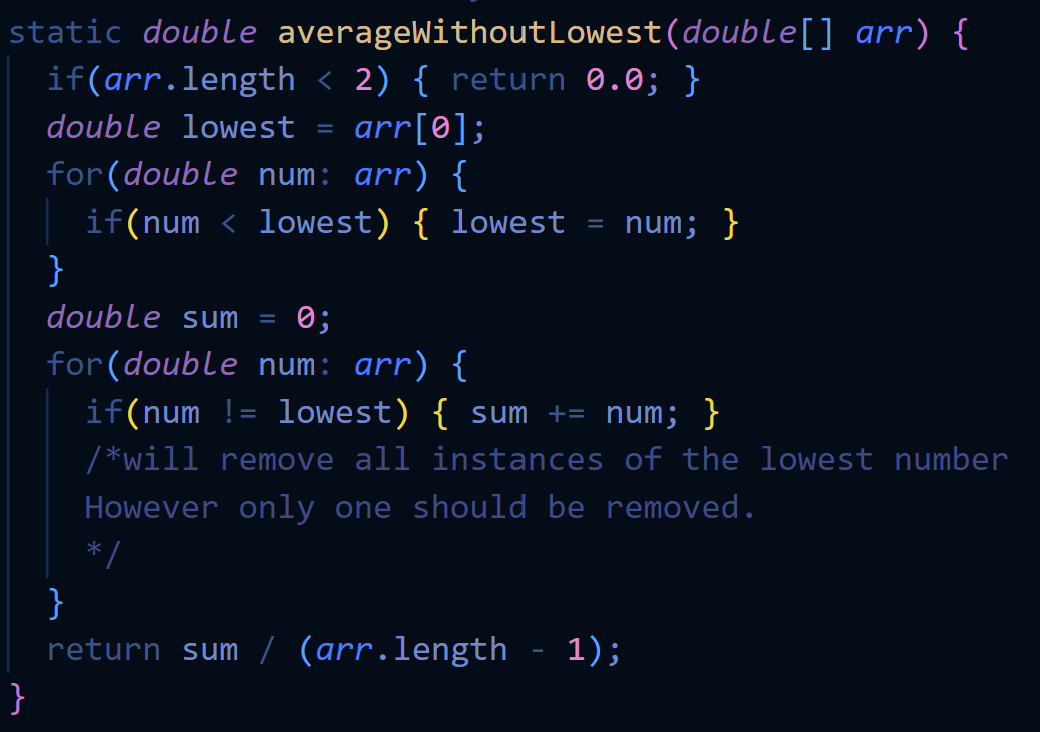 So, instead of taking the average of 1, 5, 6, 3, and 9, it is taking the average of 5, 6, 3, and 9 instead and spitting out a wrong answer.
We can fix this, however, by setting a boolean so that as soon as the first instance of the lowest number is created, we can add all other instance of the lowest number, as follows:
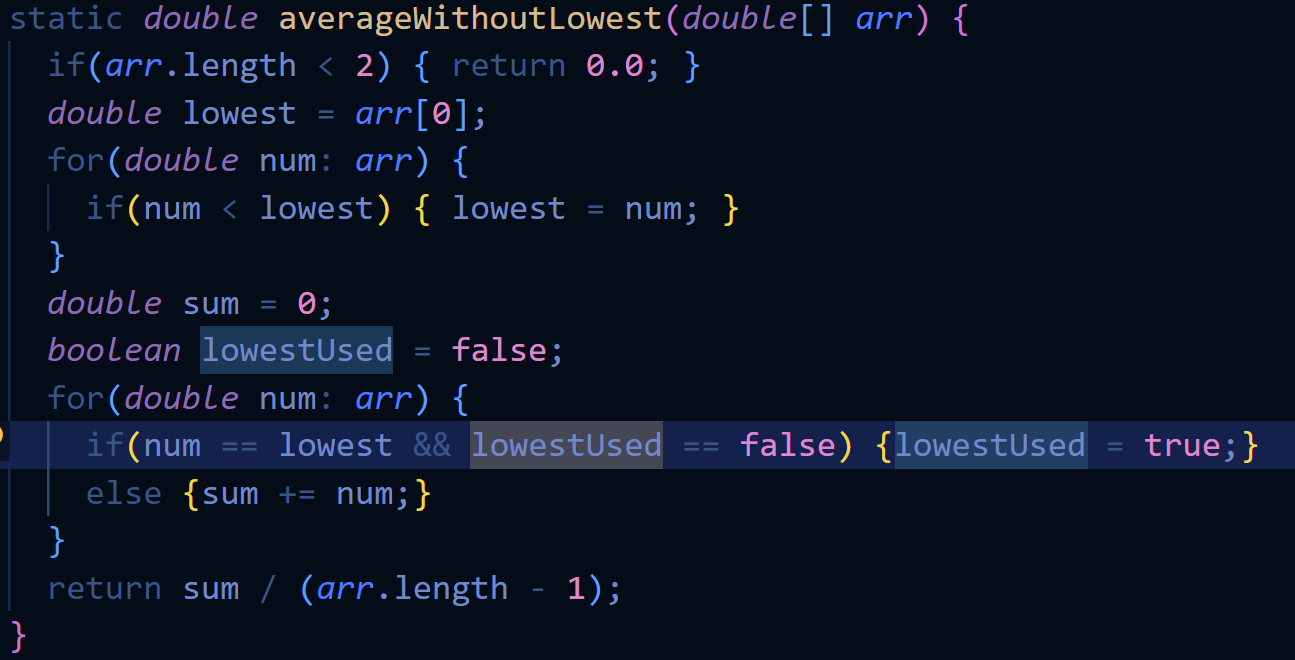 This will make our test run successfully.
2) ListExamples.java
In ListExamples.java, there is a method that filters a list based on a certain StringChecker and spits out a filtered list in the same order. However, it fails whenever there are 2 or more items in the list that fulfill the checker, like in the following test:
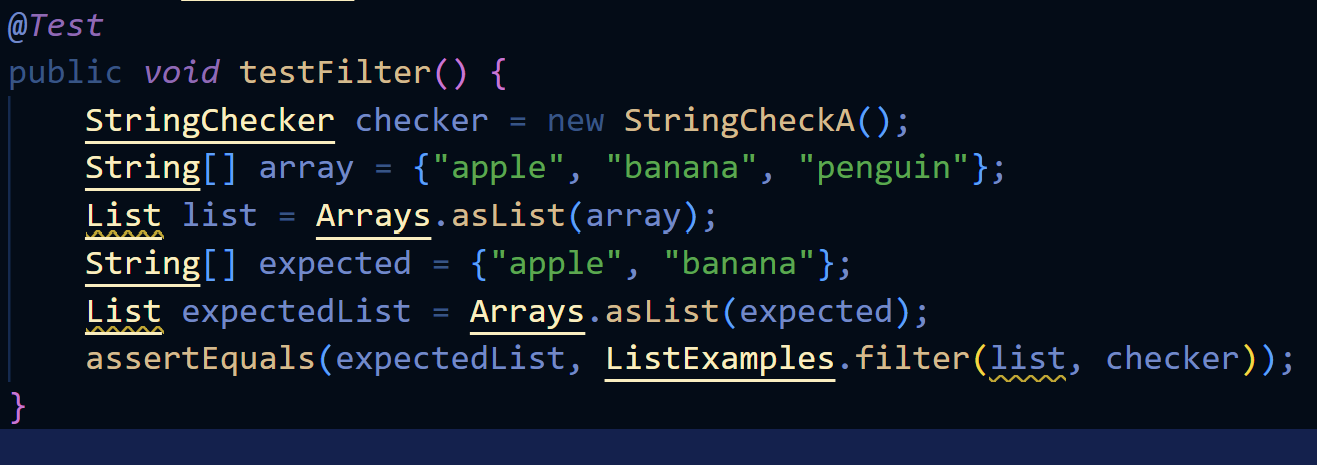 While we expect our new list to be {“apple”, “banana”}, we get the following output:
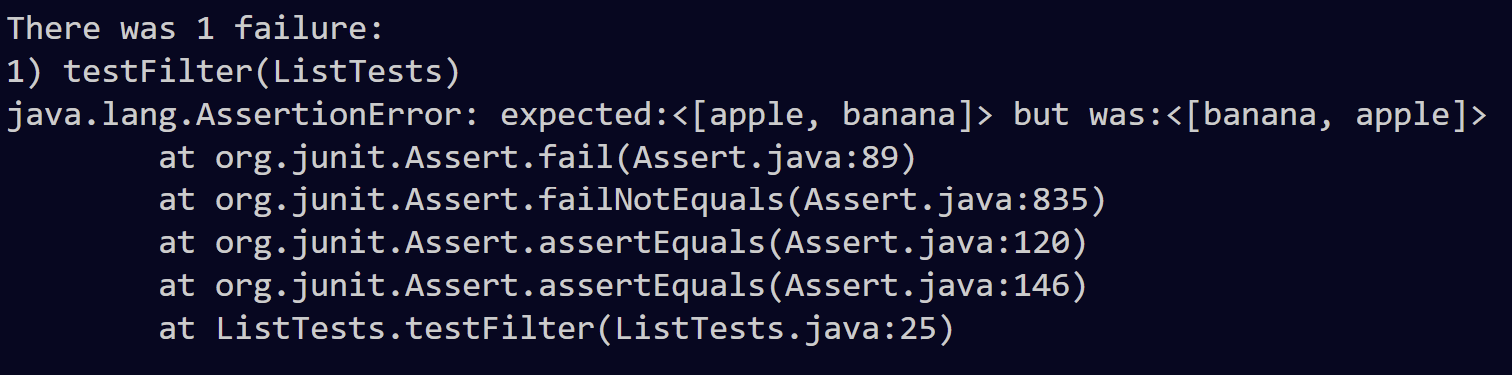 The reason can be seen in the method (see the comment):
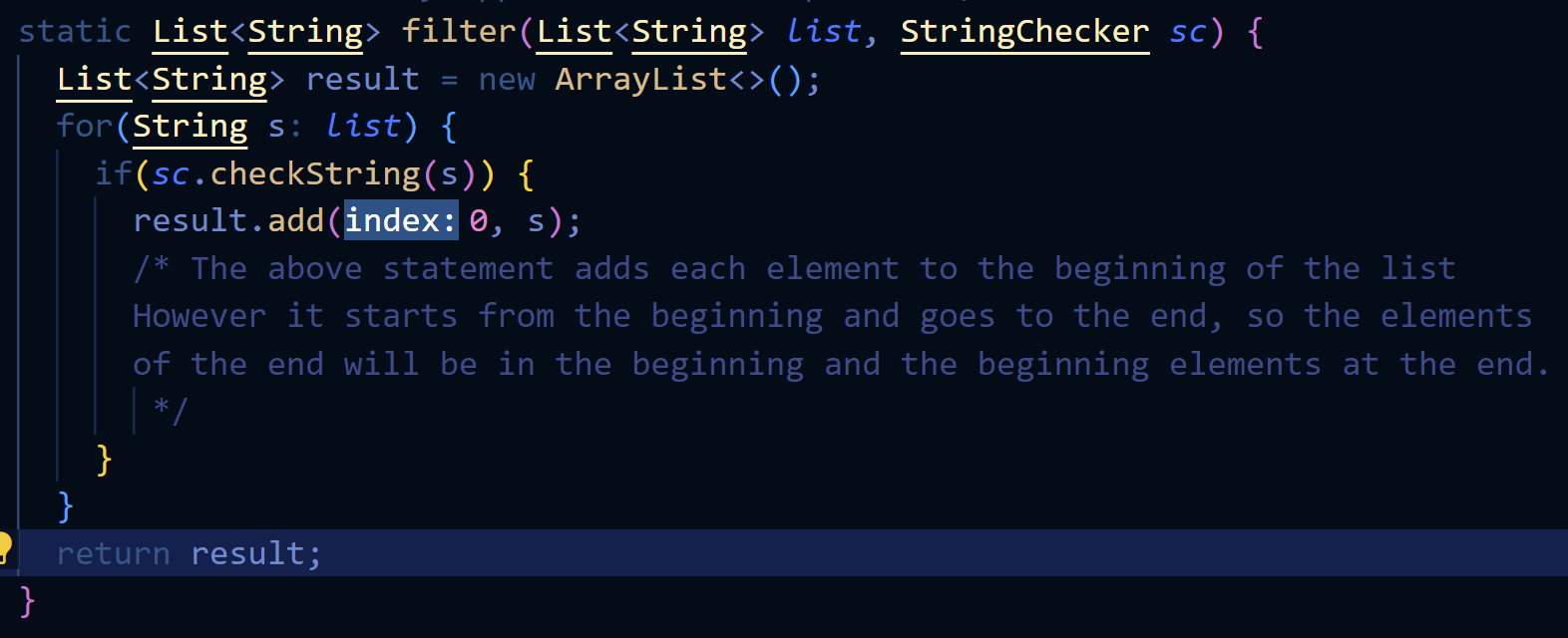 So instead of spitting it out in order, it will spit it out in reverse order, and our resulting output is {“banana”, “apple”}.
We can fix this, however, by creating an index that will increase each time something is added to the list so that it will not keep adding it at the beginning, as follows:
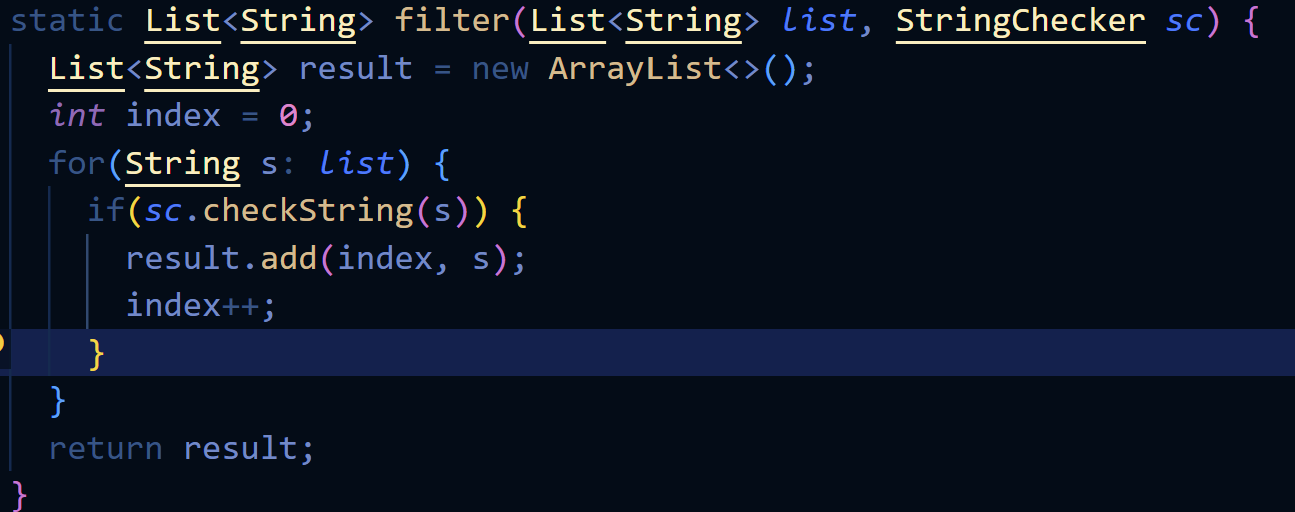 This will make our test run successfully.